 by cooked
how to buy crypto on coinbase: card or cash balance
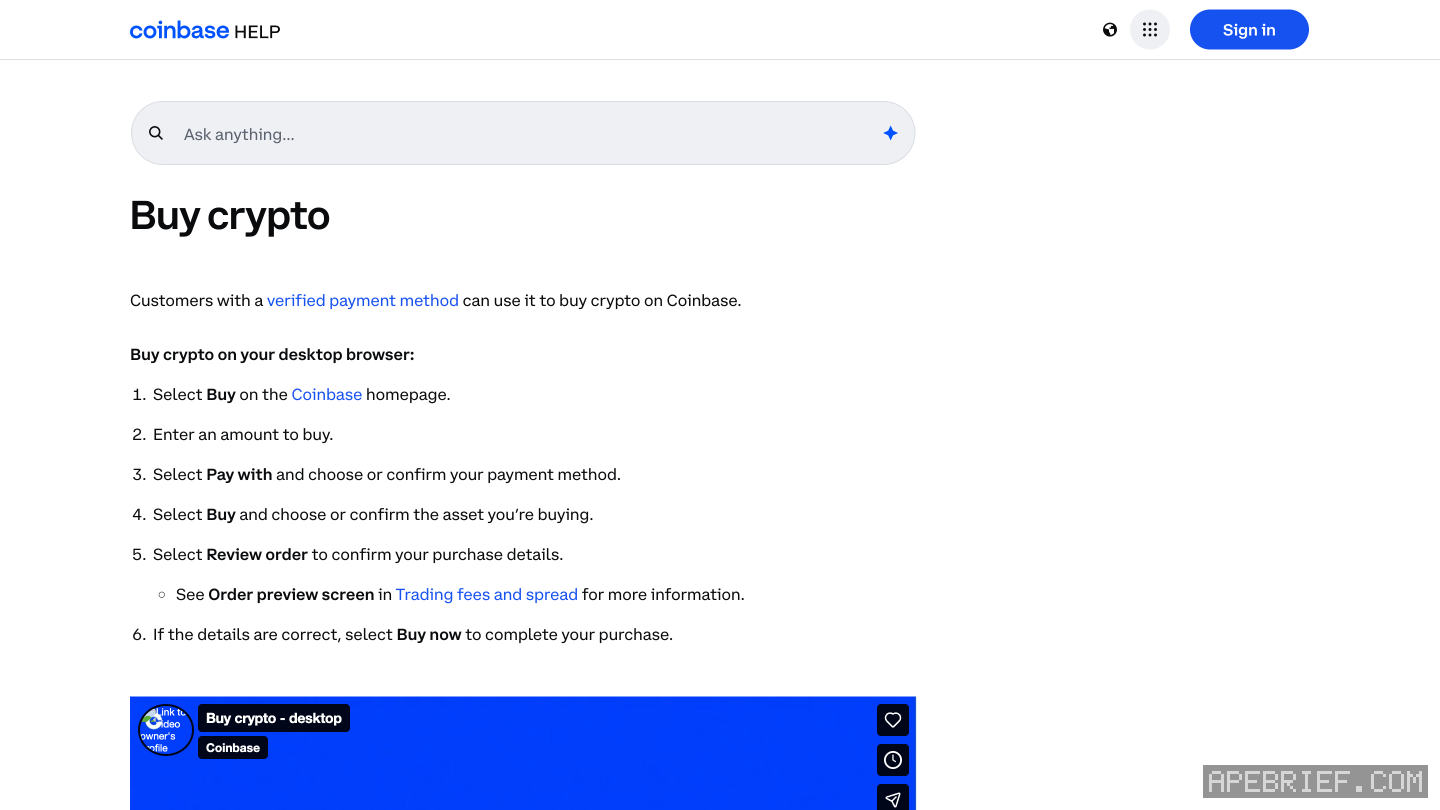
Two routes: pay with a linked 3D Secure card, or deposit cash from your bank into your Coinbase cash balance and buy with that. Either way you pick it under Pay with, and identity verification comes before you can add a payment method. Coinbase describes no P2P route.
before either
Verify your identity. Coinbase requires it before you add any payment method, and the name on the card or bank account must match your Coinbase account. A mismatch is sent to manual review, one to three business days.
by card
- Profile, Settings, Payment methods, Add a payment method, then Credit/Debit card. Enter it and Add Card.
- Coinbase sends two test charges between 1.01 and 1.99 in your currency. They are cancelled and gone within 10 business days. A charge of exactly 1.00 is the card network's, not the test.
- Buy, type the amount, and under Pay with choose the card.
- Pick the asset, Review order, then Buy now.
In the app, the sequence is Buy & sell, Buy, the asset, the amount, Pay with, Review order, Buy now.
The card has to support 3D Secure. Prepaid, reloadable, secured and business cards are out, and a card links to one Coinbase account at a time. If verification fails, your card provider may be blocking crypto; Coinbase says that's the provider's call. Link a Visa or Mastercard debit card to Apple Pay, Google Pay or Samsung Pay and that wallet shows up under Pay with too.
cash balance, then buy
- Add your bank under Payment methods. Coinbase offers different methods by location; that list shows yours.
- Deposit cash (in the app: Transfer, Deposit cash). Enter the amount, choose the bank, Preview, Deposit now. The bank account has to be in your name.
- The cash shows as a balance in your currency. Buy, and under Pay with choose that balance.
Adding cash may carry a fee, depending on the method; it shows before you confirm.
what it costs
Coinbase sets the fee when you order and shows it on the order preview. A simple buy also carries a spread inside the quoted price; the tooltip next to the price line shows it. The minimum depends on the asset and the payment method, and Coinbase tells you if you're under it. A limit order costs more: a separate 1% execution fee, and Coinbase may add a 1.875% Coinbase fee, which varies by payment method.
once it's bought
It sits in your Coinbase account. To trade it on-chain, send it to your own wallet: withdraw from coinbase to a wallet has the network, memo, fee and allowlist, and from an exchange to on-chain has where it goes next.
People also ask
Which network do I pick to send from Coinbase to my wallet?
The one your wallet receives on: Coinbase says it can't recover funds sent on the wrong network. Solana for a Phantom Solana address, the chain you plan to use for an 0x address. A self-custody wallet generally needs no tag or memo.
the full answerHow do I get crypto from an exchange onto Solana, Hyperliquid or Robinhood Chain?
Buy on the exchange, withdraw to your own wallet on the network your next stop uses, then trade there. SOL on Solana for Axiom, Photon or Jupiter. USDC on Arbitrum for Hyperliquid, unless the exchange sends there directly. ETH on Ethereum, then bridged, for Robinhood Chain.
the full answerHow do I send crypto from an exchange to my own wallet?
Copy the address from the wallet's receive screen and pick the network the wallet showed you, not the cheapest one. A memo is only for a receiving side that asks for one. Send a small amount first, then the rest.
I sent from Coinbase on the wrong network. Can I get it back?
Not from Coinbase: on-chain sends are irreversible and it can't recover wrong-network sends. On your own 0x wallet on another EVM chain, it is at the same address there. At another exchange, ask that exchange with the transaction hash.
How we know: every number on this page
9 sources
- buying needs a verified payment method; the web steps: Buy, amount, Pay with, asset, Review order, Buy now; the app: Buy & sell, Buy, asset, amount, Review order, Buy now; minimums vary by crypto and payment method Buy · source2026-09-26
- identity verification first; the name on a payment method must match the account; a mismatch goes to manual review for one to three business days one · source2026-09-26
- adding a card: profile, Settings, Payment methods, Add a payment method, Credit/Debit card; two test charges between 1.01 and 1.99 in local currency, cancelled within 10 business days; charges of 1.00 are the card network's 1.01 · source2026-09-26
- the card must be 3D Secure; card processors may block crypto; one Coinbase account per card; no prepaid, reloadable, secured or business cards; Apple Pay, Google Pay and Samsung Pay show when a verified Visa or Mastercard debit card is in the phone's wallet 3D · source2026-09-26
- deposited cash becomes a cash balance in local currency, used for instant buys; payment methods are set up by location cash · source2026-09-26
- adding cash: Deposit cash (app: Transfer, Deposit cash), amount, payment method, Preview, Deposit now (read on the North America | LATAM page that the generic add-cash URL redirects to; the steps quoted are not region-specific) Deposit · source2026-09-26
- fees are set when you order and shown on the preview; a simple buy carries a spread in the quoted price, behind the tooltip on the price line; adding cash may carry a fee by payment method spread · source2026-09-26
- a limit order costs a separate 1% execution fee, and Coinbase may add a 1.875% Coinbase fee that varies by payment method 1% · source2026-09-26
- Axiom's docs: fund the account by depositing SOL to the wallet shown, or buy SOL through a card partner inside Axiom deposit · source2026-09-26
next
- Which network do I pick to send from Coinbase to my wallet?Pick the network your wallet receives on, because Coinbase says it can't recover funds sent on the wrong one: Solana for a Phantom Solana address, and for an 0x address the EVM chain you mean to use.
- How do I send crypto from an exchange to my own wallet?Copy the address from your wallet's receive screen, pick the network the wallet showed you for it, send a small amount first, then the rest.
- I sent from Coinbase on the wrong network. Can I get it back?Coinbase can't pull it back: on-chain sends are irreversible and it can't recover funds sent on the wrong network. Where it landed decides the rest.
- How do I buy crypto on Bybit?Three routes: a card through One-Click Buy, P2P from another Bybit user, or a fiat deposit and a buy with that balance.