 by cooked
how to buy crypto on bybit: card, p2p or fiat balance
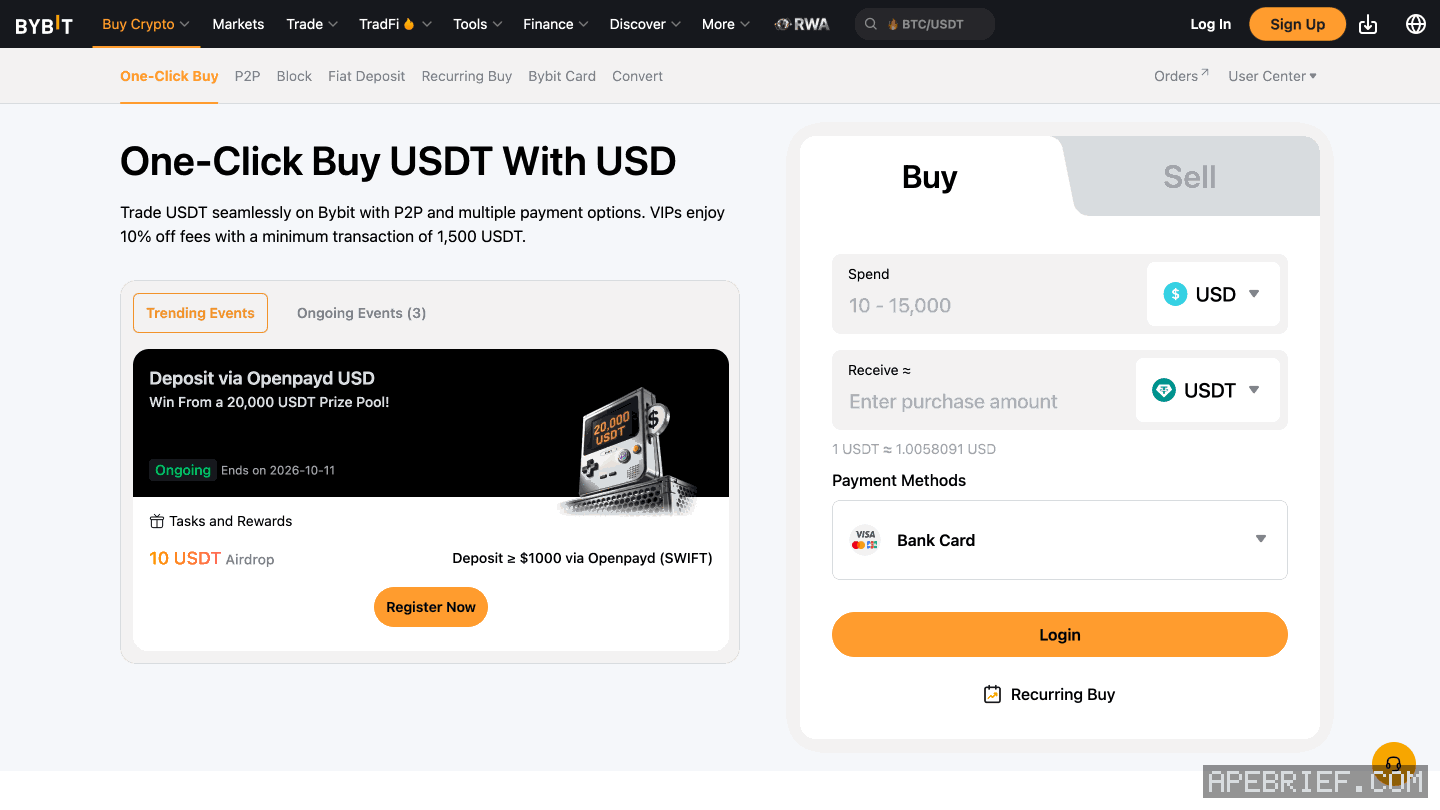
Three routes: a card through One-Click Buy, P2P from another Bybit user, or a fiat deposit and a buy with that balance. Bybit asks for identity verification before a card buy, and for two-factor authentication before you spend a fiat balance.
by card
- Buy Crypto, then One-Click Buy.
- Pick the currency you pay in and the coin you want, and type the amount.
- Choose Bank Card, then Add Card. The billing address has to match the card's, and the name on it has to match your Bybit account.
- Check the order and Confirm. The price refreshes every 30 seconds.
- Your bank may ask for a one-time passcode or a confirmation in its app. The coins land in your account once it clears.
Bybit takes Visa and Mastercard, plus JCB and Apple Pay, but no corporate cards. The card needs 3D Secure and international online payments turned on. You can link up to five cards, and cards you unlinked in the past 180 days still count. A card linked to one Bybit account can't be linked to another.
Each card payment runs from 10 USD to 10,000 USD. Bybit's fee rate goes from 1.10% to 5%, set by where the card was issued and its scheme. Your bank may add a currency-exchange fee on top. The fee on the payment details page is the one you pay.
p2p
You buy from another Bybit user and pay them yourself, by bank transfer or whatever method their ad names. Bybit posts no offers of its own there.
- Buy Crypto, then P2P Trading.
- Filter by coin, amount, currency and payment method. Each ad shows the seller's orders and completion rate over 30 days, and their limits.
- Pick an ad, then Buy USDT (or the coin you chose) and enter the amount.
- Pay the seller before the timer runs out, from an account in your own name. Leave trade words such as the coin's name out of the payment reference, or the transfer may fail.
- Press Payment Completed.
- The seller releases the coins to your Funding Account. Nothing after 10 minutes? Need Help opens an appeal.
Never cancel an order you've already paid unless the seller has refunded you. Cancel 3 times in 24 hours for your own reasons and Bybit restricts your P2P trading for the next 24 hours. Fees depend on the currency and whether you take or post the ad, and your payment provider may charge its own. In the app, P2P Express picks the ad for you; you can't choose another one.
fiat balance, then buy
- In the app: More, Deposit, Fiat. Pick the currency and the payment method. The method shows its fee and processing time before you commit.
- Enter the amount and Continue. Identity verification is required for any fiat deposit.
- Turn on two-factor authentication if it isn't already.
- More, Buy Crypto, pick the coin and pay with your currency's Balance (for dollars, USD Balance).
- The coin lands in your Funding Account within 1–2 minutes.
once it's bought
It sits in your Bybit Funding Account. To trade it on-chain, withdraw it to your own wallet: withdraw from bybit to a wallet has the chain, memo, fee and minimum, and from an exchange to on-chain has where it goes next.
People also ask
Which chain do I pick to withdraw from Bybit to my wallet?
The one your wallet receives on: SOL for a Phantom Solana address, the chain you plan to use for an 0x address. Enter a tag or memo only if the receiving side shows one. The fee and minimum show once you pick the chain.
the full answerHow do I get crypto from an exchange onto Solana, Hyperliquid or Robinhood Chain?
Buy on the exchange, withdraw to your own wallet on the network your next stop uses, then trade there. SOL on Solana for Axiom, Photon or Jupiter. USDC on Arbitrum for Hyperliquid, unless the exchange sends there directly. ETH on Ethereum, then bridged, for Robinhood Chain.
the full answerHow do I send crypto from an exchange to my own wallet?
Copy the address from the wallet's receive screen and pick the network the wallet showed you, not the cheapest one. A memo is only for a receiving side that asks for one. Send a small amount first, then the rest.
I withdrew from Bybit on the wrong network. Can I get it back?
Not from Bybit: its FAQ sends you to the receiving wallet or exchange with the TXID. On your own 0x wallet on another EVM chain, it is at the same address there. If another exchange refunds it to Bybit, a self-service appeal credits it.
How we know: every number on this page
11 sources
- the card steps on the website: Buy Crypto, One-Click Buy, fiat and coin, amount, Bank Card, Add Card, billing address, Confirm, then the bank's one-time passcode or app confirmation; identity verification first; Visa and Mastercard; the price refreshes every 30 seconds 30 · source2026-09-26
- cards Bybit takes, no corporate cards, 3D Secure and international transactions on, up to five cards counting any unlinked in the past 180 days, one Bybit account per card five · source2026-09-26
- a card payment runs from 10 USD to 10,000 USD per transaction; the fee on the payment details page is the one that counts; coins bought by card land under Assets, Funding Account 10 · source2026-09-26
- Bybit's card fee rate depends on where the card was issued and its scheme, from 1.10% to 5%; your bank may add its own currency-exchange fee 1.10% · source2026-09-26
- P2P: the counterparty is another user, Bybit posts no offers itself; the website route is Buy Crypto, P2P Trading; filter, pick an ad, Buy USDT, enter the amount; the ad shows 30-day orders and completion rate 30 · source2026-09-26
- P2P: pay the seller from an account in your own name before the timer ends, then press Payment Completed; no trade words in the payment reference; an appeal opens if the coins are not released after 10 minutes; do not cancel after paying unless refunded; the coins land in the Funding Account 10 · source2026-09-26
- P2P fees depend on the fiat currency and role, and the payment provider may charge too; P2P Express is app-only and picks the ad for you P2P · source2026-09-26
- a buyer may cancel P2P orders up to 3 times in 24 hours; past that, P2P trading is restricted for 24 hours; never cancel an order you have already paid 3 · source2026-09-26
- fiat deposit in the app: More, Deposit, Fiat, currency, payment method, amount, Continue; fees and processing time show on the method; identity verification required Fiat · source2026-09-26
- a fiat balance is spent under Buy Crypto with the currency's Balance as the payment method; 2FA first; the coin lands in the Funding Account within 1-2 minutes 1–2 · source2026-09-26
- Axiom's docs: fund the account by depositing SOL to the wallet shown, or buy SOL through a card partner inside Axiom deposit · source2026-09-26
next
- Which chain do I pick to withdraw from Bybit to my wallet?Pick the chain your wallet receives on: SOL for a Phantom Solana address, and for an 0x address the EVM chain you mean to use it on.
- How do I send crypto from an exchange to my own wallet?Copy the address from your wallet's receive screen, pick the network the wallet showed you for it, send a small amount first, then the rest.
- I withdrew from Bybit on the wrong network. Can I get it back?Bybit offers no way to pull a withdrawal back: it sends you to the receiving wallet or exchange with the TXID. Where it landed decides the rest.
- I withdrew from KuCoin on the wrong network. Can I get it back?If the withdrawal still shows Pending, cancel it on the withdrawal page; if it shows Processing, contact KuCoin support at once.