 by cooked
how to install uxtension and connect it to uxento
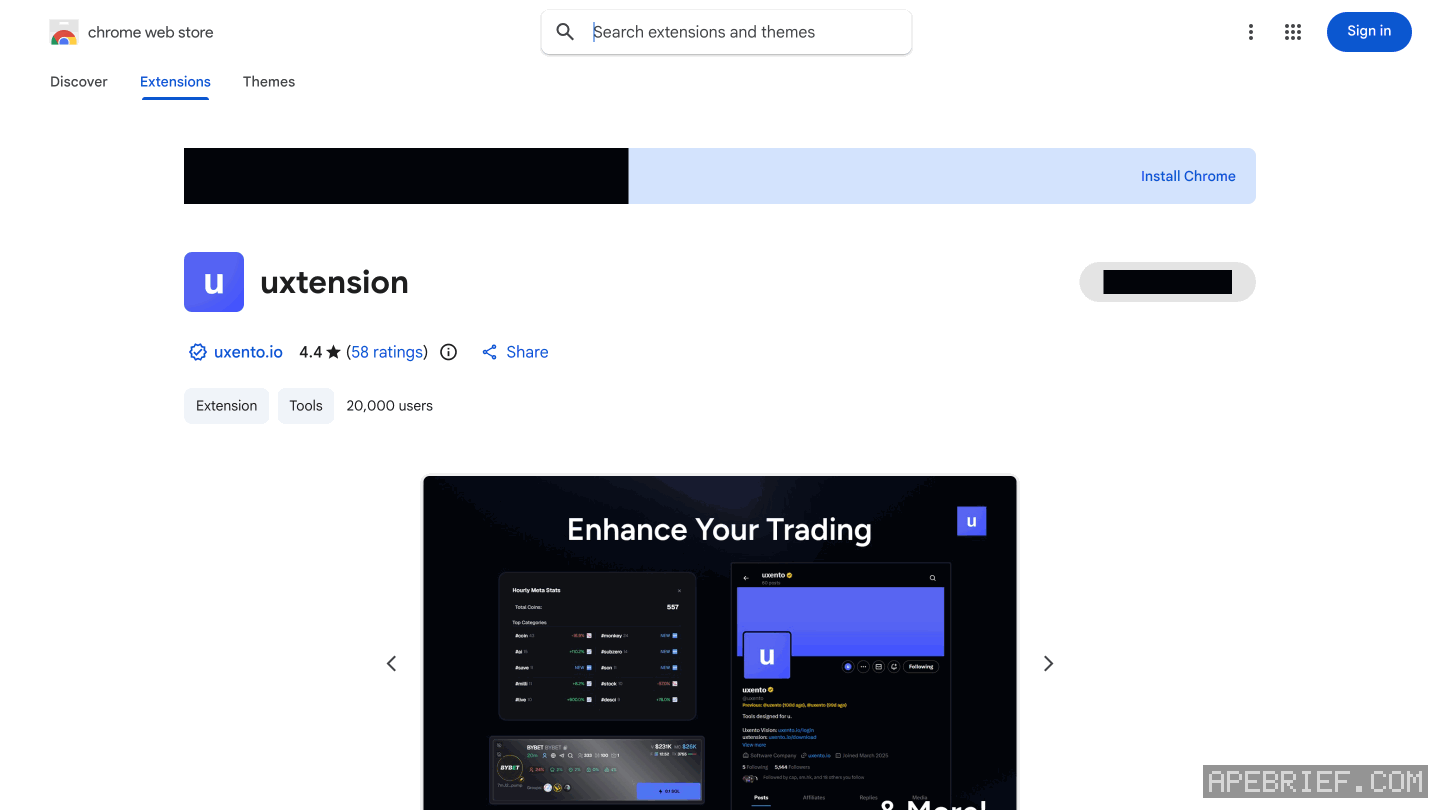
Add uxtension from the Chrome Web Store with Add to Chrome. It's free, it runs on Axiom, GMGN and Photon, and Axiom is the one Uxento recommends. Remove Phocaine or any extension like it first, then sign in to Uxento and press Connect to Uxento in the extension.
install it
- Remove clashing extensions. Delete extensions such as Phocaine first; uxtension needs them gone to run without bugs.
- Add it. Open uxtension on the Chrome Web Store and click Add to Chrome. The app's Settings page also has a Get the uxtension link.
- Open your terminal. Load Axiom, GMGN or Photon. The changes show on the page itself.
connect it to your uxento account
Connecting gives you more features and lets you customize more.
- Sign in to the Uxento web app. Sign-in is by email: you enter your address and get a code. New here? The link at the end of this page opens that sign-in.
- Click uxtension in your toolbar.
- Under Secure Connection, click Connect to Uxento.
The rocket icon in the same popup opens Uxento Vision, the tracker feed.
which platforms it works on
- Axiom. Recommended. Keyboard shortcuts and the DEX Screener banner work on Axiom, and search works in full there.
- GMGN. Supported. Search there is Quick Search only, a keyword search on New Pairs. Each token name gets a Better on Axiom button that opens the same token on Axiom.
- Photon. Supported.
what you see on axiom after installing
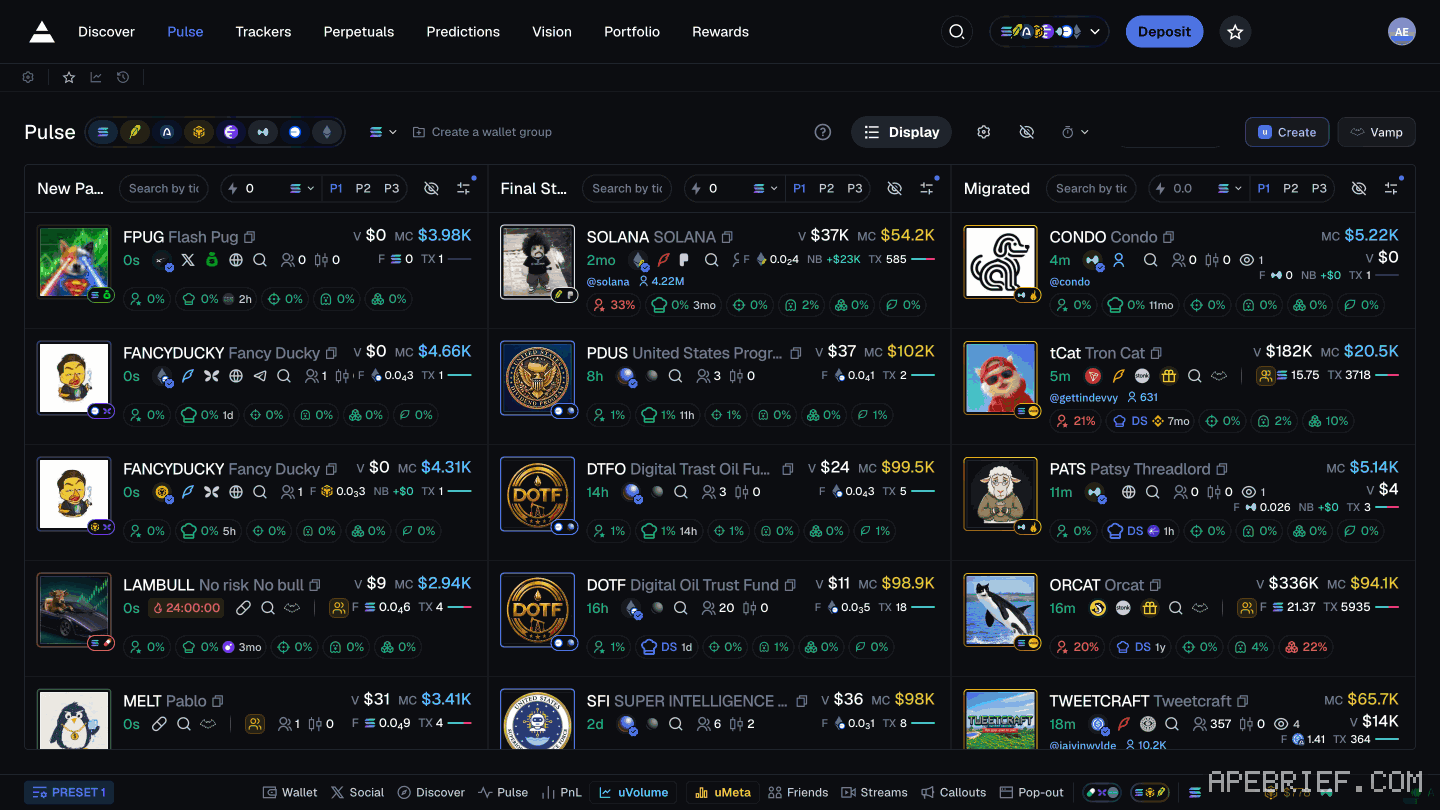
Pulse picks up:
- Groups. Badges on each coin for the paid alpha groups that posted its contract address, plus a Refresh button and a token search bar. how the CA tracker works
- X usernames on token cards.
- Silver and Gold animations. Silver and Gold tokens get a slight animation so they stand out.
- DEX Screener banners for coins with paid DEX, and a DEX Screener icon on token pages.
- Big holders in red. Holders with over 5% of supply are highlighted. You can change the threshold.
- uHourly volume and meta stats in the footer, updated every hour.
- Themes.
updating it
Two ways:
- Update in place. Turn on developer mode in Chrome's extensions page and hit the update button.
- Reinstall. Remove the extension and add it again from the Chrome Web Store. You get the latest version.
next
- uxtension settings: what to turn on first
- uxtension features: the CA tracker, PnL tracker and the rest
- uxento vision: the tracker feed
New to Uxento? Sign up through our referral link below with code apebrief.
We get a commission from Uxento, which helps support our work, at no extra cost to you. We might add tools for people who used our code.
Tapping the button puts on your clipboard and opens Uxento. Where the signup shows a code field, paste it there.
How we know: every number on this page
13 sources
- uxtension is free; extensions such as Phocaine have to be deleted for it to run without bugs free · source2026-10-07
- Axiom is recommended; GMGN, Photon and more are supported Axiom · source2026-10-07
- install from the Chrome Web Store with Add to Chrome Add · source2026-10-07
- update by turning on developer mode and pressing update, or remove and re-add it from the Chrome Web Store developer · source2026-10-07
- connect: log in to the Uxento web app, open uxtension, press Connect to Uxento under Secure Connection Connect · source2026-10-07
- the rocket icon in uxtension opens Uxento Vision; the web login also works; sign-in is by email code, secured by Turnkey Rocket · source2026-10-07
- the app's Settings page carries a Get the uxtension link Get · our screenshot, 7 Oct 2026, Settings page, signed in: header 'Settings' / 'Preferences & Config' / 'Get the uxtension' / 'Learn more'.2026-10-07
- what changes on Axiom's Pulse page with uxtension on Token · source2026-10-07
- X usernames on Pulse, DEX Screener icons on token pages, holders over 5% in red, and a Better on Axiom button on GMGN 5% · source2026-10-07
- the DEX Screener banner works on Axiom, with more platforms coming Axiom · source2026-10-07
- keyboard shortcuts work on Axiom; on GMGN, search is Quick Search only Axiom · source2026-10-07
- Groups on Pulse show which paid, subscription-gated alpha chats posted a coin's CA; a Refresh button and a token search bar sit on Pulse Groups · source2026-10-07
- Silver and Gold tokens get a slight animation on Pulse; uHourly sits in the footer and updates every hour Silver · source2026-10-07
next
- uxtension settings: what each one doesClick uxtension in your toolbar and press the Settings icon.
- what uxtension does: ca tracker, pnl tracker, find ca and moreuxtension shows which paid alpha groups posted a coin's contract address, puts a PnL tracker over your terminal, shows paid DEX Screener banners, finds the CA on any website and checks its domain age, sums up GitHub repos, adds hourly volume and meta stats, and highlights Discord keywords.
- uxento vision and the aio feed: what it tracks and how to set it upUxento Vision is Uxento's tracker feed: contract addresses from paid alpha groups, X, DEX paid, Streamflow locks, Truth Social, Instagram, Telegram and news, each as a card.
- copy trading with utek: picking the wallet, sizing, and when to stopWatch a wallet before you copy it.