 by cooked
how to set up utek, uxento's sniper and copy trader
uTek is Uxento's sniper and copy trader. Assign it a wallet, set up nonces on that wallet for a small fee of about 0.0116 SOL, then create tasks that buy automatically on X posts, new token creations, a wallet's trades or fee claims. It runs on Pump.fun only for now.
set it up
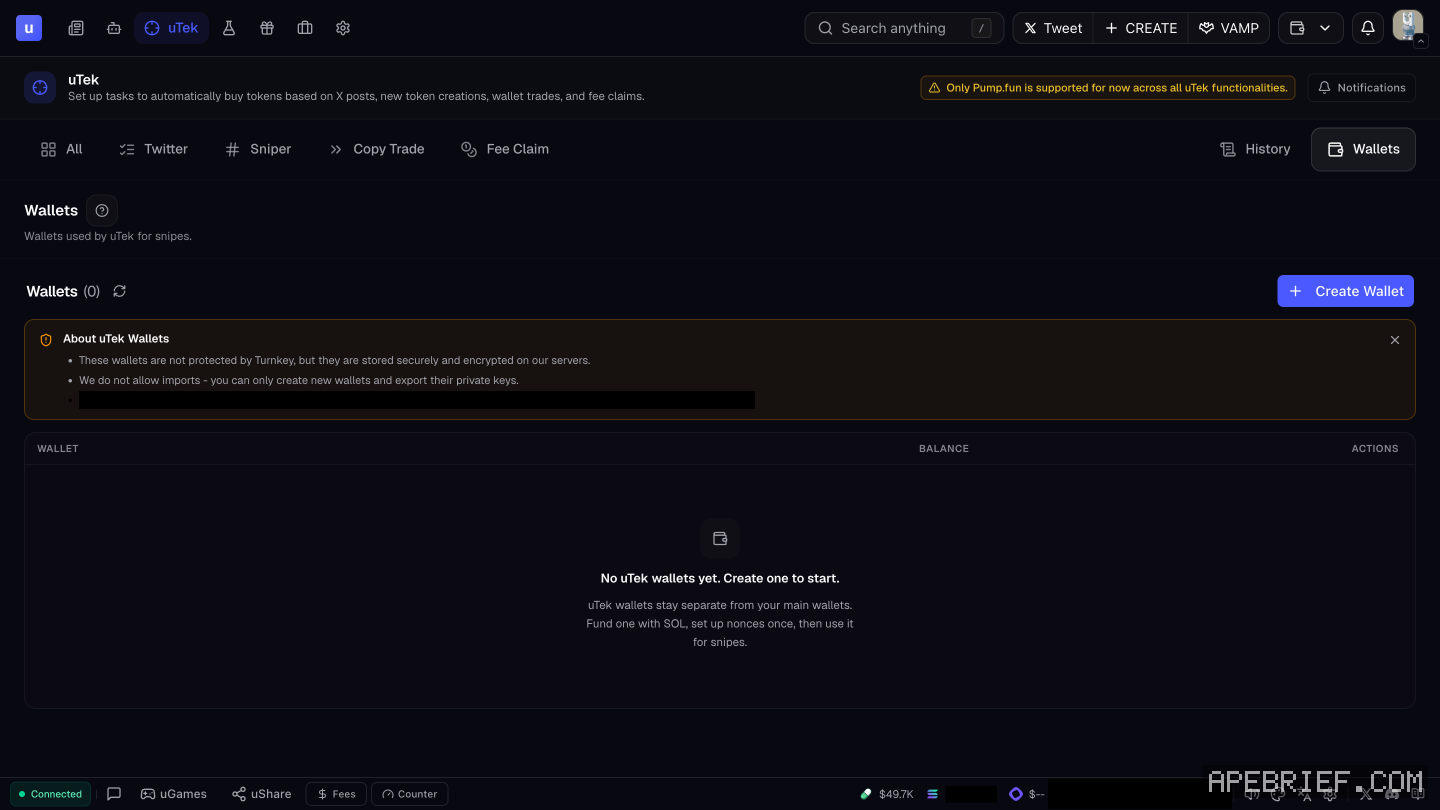
- Open uTek from the Uxento toolbar.
- Click Wallets. Pick a wallet from the dropdown, or click Create to make a new one.
- Click Set Up to set up nonces on that wallet. Nonces help your transactions land faster. Setting them up costs about 0.0116 SOL.
- Do this before you create any task.
You can change uTek's wallets any time in the uTek Wallet Overview, behind the same Wallets button. The wallets themselves live in Portfolio, so fund the one you assign there.
the four snipers
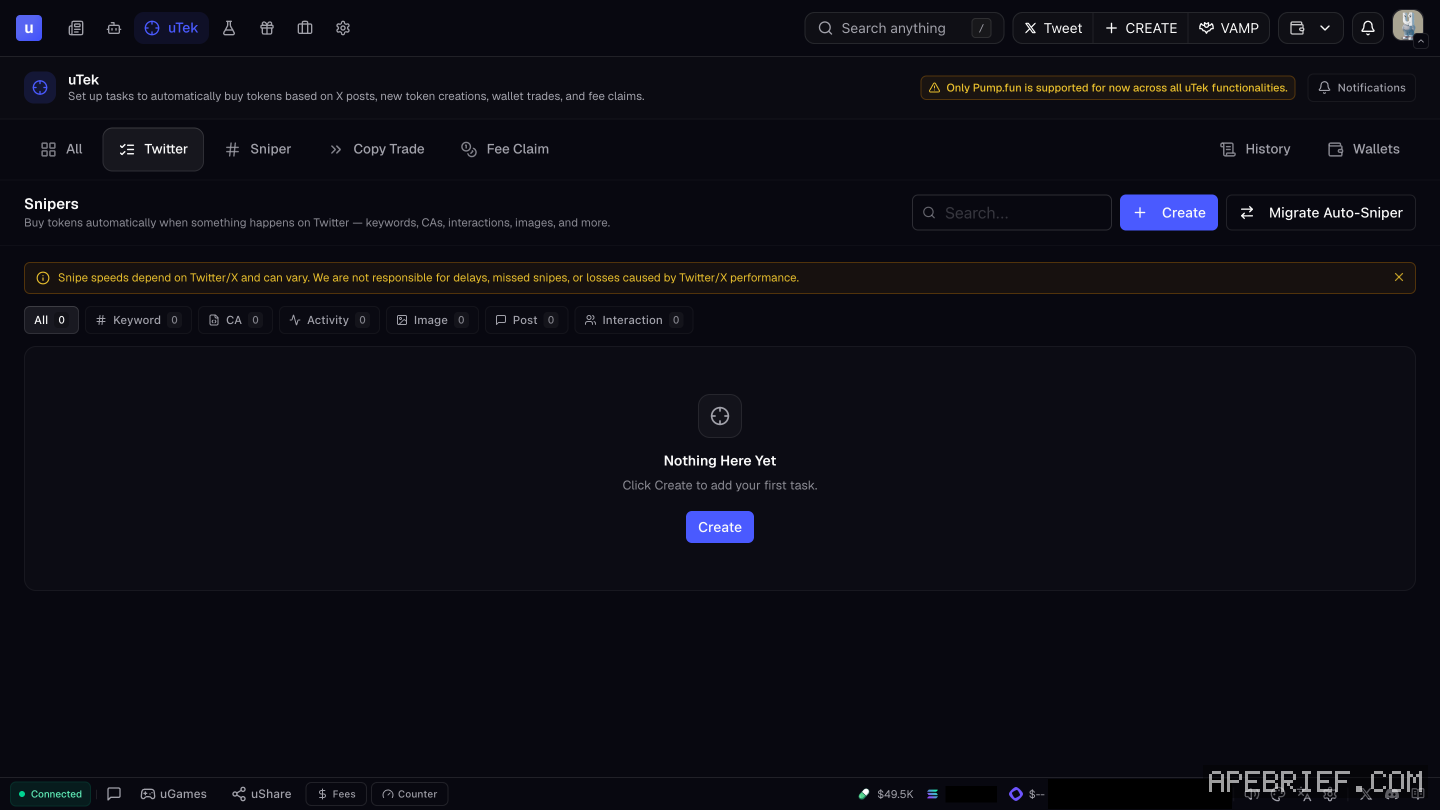
Pick a sniper in the uTek toolbar. It reads All, Twitter, Sniper, Copy Trade and Fee Claim, with History and Wallets beside them.
| Sniper | What makes it buy |
|---|---|
| X/Twitter Sniper | Something happens on X: keywords, CAs, interactions, images and more |
| Coin Creation Sniper | A newly created token that matches your exact parameters |
| Copy Trade Sniper | A target wallet's buys or its sells, whichever you pick under Copy |
| Fee Claim Sniper | Anyone claims GitHub fees on a token |
The X/Twitter Sniper splits its tasks into Keyword, CA, Activity, Image, Post and Interaction. The Auto-Sniper in Automations uses the same trigger names and spells out what each one watches. Copy trading has its own page: how to copy trade a wallet with utek.
the keyword sniper
A Keyword task buys one token you've already picked, when accounts you choose post words you choose. It doesn't buy whatever coin shows up in the post. You paste that token's address into the task.
- Token address. The mint address of the token to buy.
- Buy amount, tip, priority, slippage. Buy amount is in SOL. Tip starts at 0.005 SOL, priority at 0.001 SOL and slippage at 50%.
- Handle(s). The accounts that trigger the task. Save and Load Preset keep a handle list for the next task.
- Keyword(s) and match type. Exact matches the keyword as a whole word. Partial also catches it inside longer words.
- Allowed events. Tweets, Replies, Quotes, Retweets, Follows, Bio Change and Pinned. Only the ones you pick can fire the task.
- Filters. Optional. Blacklisted keywords skip any event that contains them. A market cap min and max skip the buy outside that range.
- Advanced. Auto-sell and context.
build a task
- Pick the sniper, then click Create. The uTek Module opens.
- Work through every section: task name, assigned wallets, buy amounts and fees, targeted accounts, and activity types or keywords.
- Optional: Filters, to blacklist keywords or filter by market cap.
- Optional: Advanced Settings, to turn the task into an auto-sell task.
- Click Test in Sandbox to try it on fake posts first, or Create to save it.
Each sniper has its own module with its own parameters. A setup for the X/Twitter Sniper doesn't carry over to the Coin Creation Sniper, so configure each one you use.
Already set up the Auto-Sniper in Automations? Migrate Auto-Sniper imports those configurations into uTek in one click.
run and manage tasks
Every task shows in its sniper's overview. All Tasks shows them across every sniper.
- One task. Select it and use the quick actions: pause, edit, delete, duplicate or test.
- Everything. The quick buttons top left of the overview start or stop all tasks at once, and show or hide paused tasks.
notifications and history
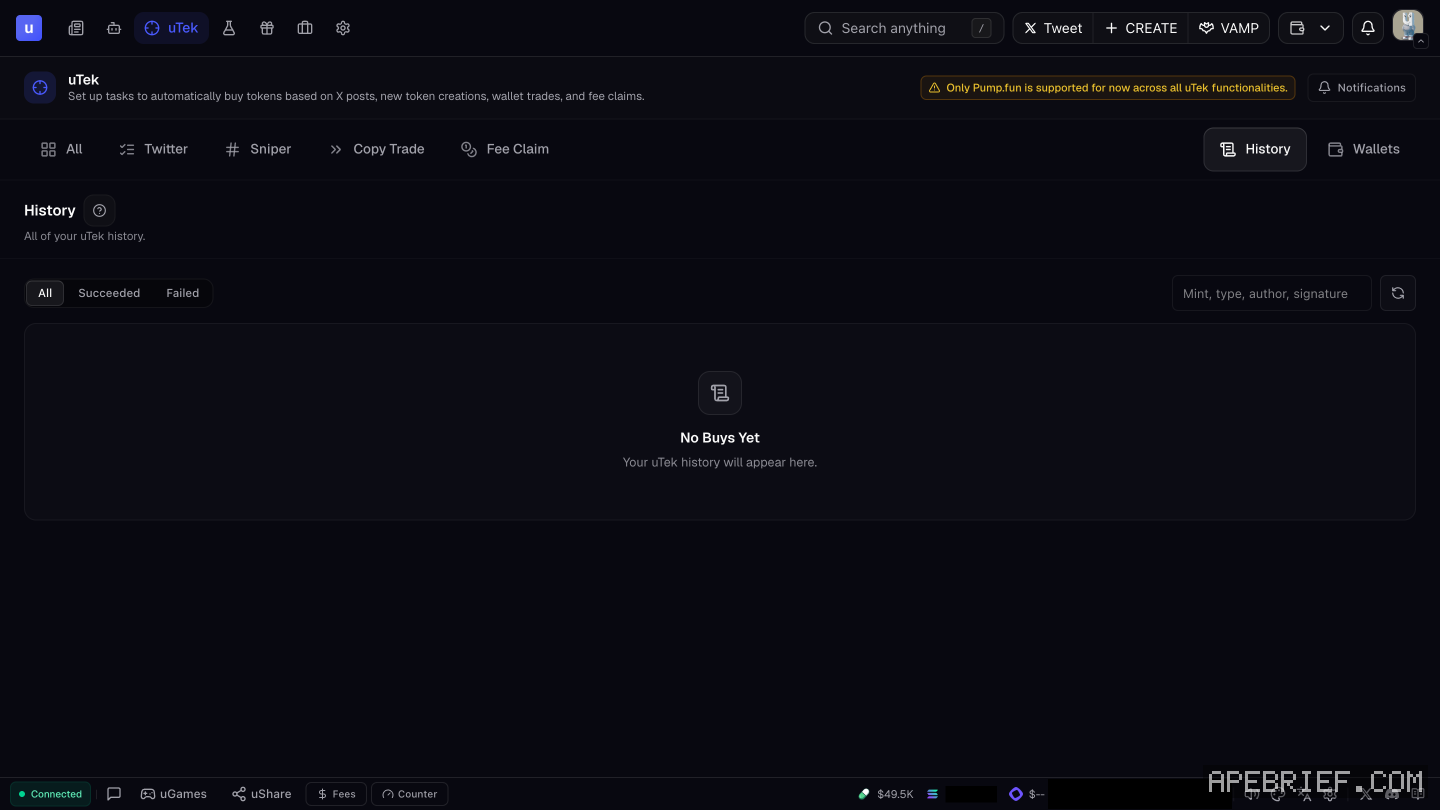
uTek has its own Notifications button on the uTek screen. History lists every successful execution your tasks made.
before you size a task
A snipe can miss or land late. Snipe speed depends on X and can vary, and Uxento takes no responsibility for delays, missed snipes or losses caused by X. Size each task so a missed or late fill is a cost you've already accepted.
uTek also works on Pump.fun only for now, across all its functions. A task won't buy on any other launchpad.
For how to set the triggers themselves, see x sniping strategy on uxento.
New to Uxento? Sign up through our referral link below with code .
We get a commission from Uxento, which helps support our work, at no extra cost to you. We might add tools for people who used our code.
Tapping the button puts on your clipboard and opens Uxento. Where the signup shows a code field, paste it there.
How we know: every number on this page
14 sources
- uTek is Uxento's sniper and copy trader; tasks buy automatically on X posts, new token creations, wallet trades and fee claims X · source2026-10-07
- uTek needs an assigned wallet and nonces; nonces help transactions land faster and cost a small transaction fee of about 0.0116 SOL ~0.0116 · source2026-10-07
- setup steps: Wallets button, pick a wallet from the dropdown or Create one, then Set Up nonces before creating tasks; wallets are managed in the uTek Wallet Overview Set · source2026-10-07
- the four snipers and what each one does X/Twitter · source2026-10-07
- a task is created with Create, which opens the uTek Module: task name, assigned wallets, buy amounts and fees, targeted accounts, activity types or keywords, optional filters and advanced settings for auto-sell uTek · source2026-10-07
- each sniper has its own module and its own configuration unique · source2026-10-07
- Test in Sandbox, Create to save, and a one-click import of Auto Sniper configurations Migrate · source2026-10-07
- managing tasks: sniper overviews or All Tasks; pause, edit, delete, duplicate, test; start and stop all; show or hide paused tasks All · source2026-10-07
- History lists successful sniper executions History · source2026-10-07
- uTek screen: Pump.fun only across all uTek functions; toolbar All, Twitter, Sniper, Copy Trade, Fee Claim, History, Wallets; a Notifications button; Snipers tabs Keyword, CA, Activity, Image, Post, Interaction; Create and Migrate Auto-Sniper buttons Only · our screenshot, 7 Oct 2026, uTek, signed in, no tasks: 'Only Pump.fun is supported for now across all uTek functionalities.' / 'Notifications' / 'All' 'Twitter' 'Sniper' 'Copy Trade' 'Fee Claim' 'History' 'Wallets' / 'Buy tokens automatically when something happens on Twitter — keywords, CAs, interactions, images, and more.' / buttons 'Create' 'Migrate Auto-Sniper' 'All 0' 'Keyword 0' 'CA 0' 'Activity 0' 'Image 0' 'Post 0' 'Interaction 0'2026-10-07
- snipe speed depends on X and can vary; Uxento takes no responsibility for delays, missed snipes or losses from X performance Snipe · our screenshot, 7 Oct 2026, uTek, under the Snipers panel: 'Snipe speeds depend on Twitter/X and can vary. We are not responsible for delays, missed snipes, or losses caused by Twitter/X performance.'2026-10-07
- the Keyword Sniper buys a specific token, set by its token address, when chosen handles post chosen keywords; buy amount in SOL, tip 0.005 SOL, priority 0.001 SOL, slippage 50% by default; handle presets; match type Exact or Partial, Exact matching the keyword as a whole word; allowed events Tweets, Replies, Quotes, Retweets, Follows, Bio Change, Pinned; optional filters: blacklisted keywords and market cap min/max; Advanced: auto-sell and context Buy · our screenshot, 7 Oct 2026, uTek > Twitter > Create, Keyword Sniper task form: 'Keyword Sniper | Buy a specific token when accounts of your choice post specific keywords.' 'TASK NAME (Leave blank to use Keyword Sniper Task 1.) | WALLET * (Create Wallet) | TOKEN ADDRESS * (placeholder \"Paste mint address…\")' 'BUY AMOUNT (SOL) * (placeholder 1.5) | TIP (SOL) * (default 0.005) | PRIORITY (SOL) * (default 0.001) | SLIPPAGE % * (default 50; units % | min | SOL)' 'HANDLE(S) * (placeholder \"@handle1, @handle2\"; Save | Load Preset; \"Accounts that will trigger this task.\")' 'KEYWORD(S) * | MATCH TYPE Exact | Partial (\"Matches the keyword as a whole word, with boundaries.\")' 'ALLOWED EVENT(S): Tweets | Replies | Quotes | Retweets | Follows | Bio Change | Pinned (\"Choose which events can trigger this task.\")' 'FILTERS (Optional · blacklist & market cap): BLACKLISTED KEYWORD(S) \"Skip events containing any of these keywords\" | MARKET CAP USD min/max \"Skip if market cap is below min or above max\"' 'ADVANCED (Auto-sell, context) | Test in Sandbox | Cancel | Create'2026-10-07
- the Copy Trade form picks Buy or Sell under Copy; Buy means buy when the wallet buys Buy · our screenshot, 7 Oct 2026, uTek > Copy Trade > Create: 'Copy Trade | Copy buys or sells from a target wallet.' 'COPY * : Buy | Sell (with Buy selected: \"Buy when the wallet buys.\")'2026-10-07
- Partial match finds the keyword inside other words Partial · source2026-10-07
next
- how to copy trade a wallet with uxento's utekCopy trading on Uxento is a uTek task. You give it a target wallet, a wallet of yours to trade from and a buy amount in SOL, then pick Buy or Sell under Copy.
- how to test a sniper in uxento's sandboxSandbox is Uxento's test feed. You publish fake posts from any account you pick and watch whether your sniper and tracker rules fire.
- sniping off x posts with utek: the trigger, the size and the exitPick the narrowest trigger that still catches the post you want. A CA trigger buys the exact coin a tracked account posts.
- uxento ugames: six quick games for speed and aimuGames is a set of six quick skill games built into Uxento, for practicing accuracy and speed between trades. Click uGames in the footer to open it.