 by cooked
how to test a sniper in uxento's sandbox
Sandbox is Uxento's test feed. You publish fake posts from any account you pick and watch whether your sniper and tracker rules fire. Everything in it is sandbox-only: your real config is never modified.
test a rule, start to finish
- Open Sandbox from the Uxento menu.
- Load the rules to test. Under Rules Under Test, click Import Real. It clones every keyword alert, ticker, CA and sniper from your real setup into the sandbox as editable copies.
- In Compose, pick an Event Type: a tweet, a follow, a PFP change and more.
- Set the account the post comes from. It starts as @sandbox_user, so type the handle your rule actually watches.
- Write the post. Add an image or video if the rule matches on one, or start from Templates.
- Click Publish to sandbox. Your post appears at the top of the feed.
- If a rule matches, a notification appears top right saying what triggered.
Building a task in uTek? Its Test in Sandbox button brings the task straight here.
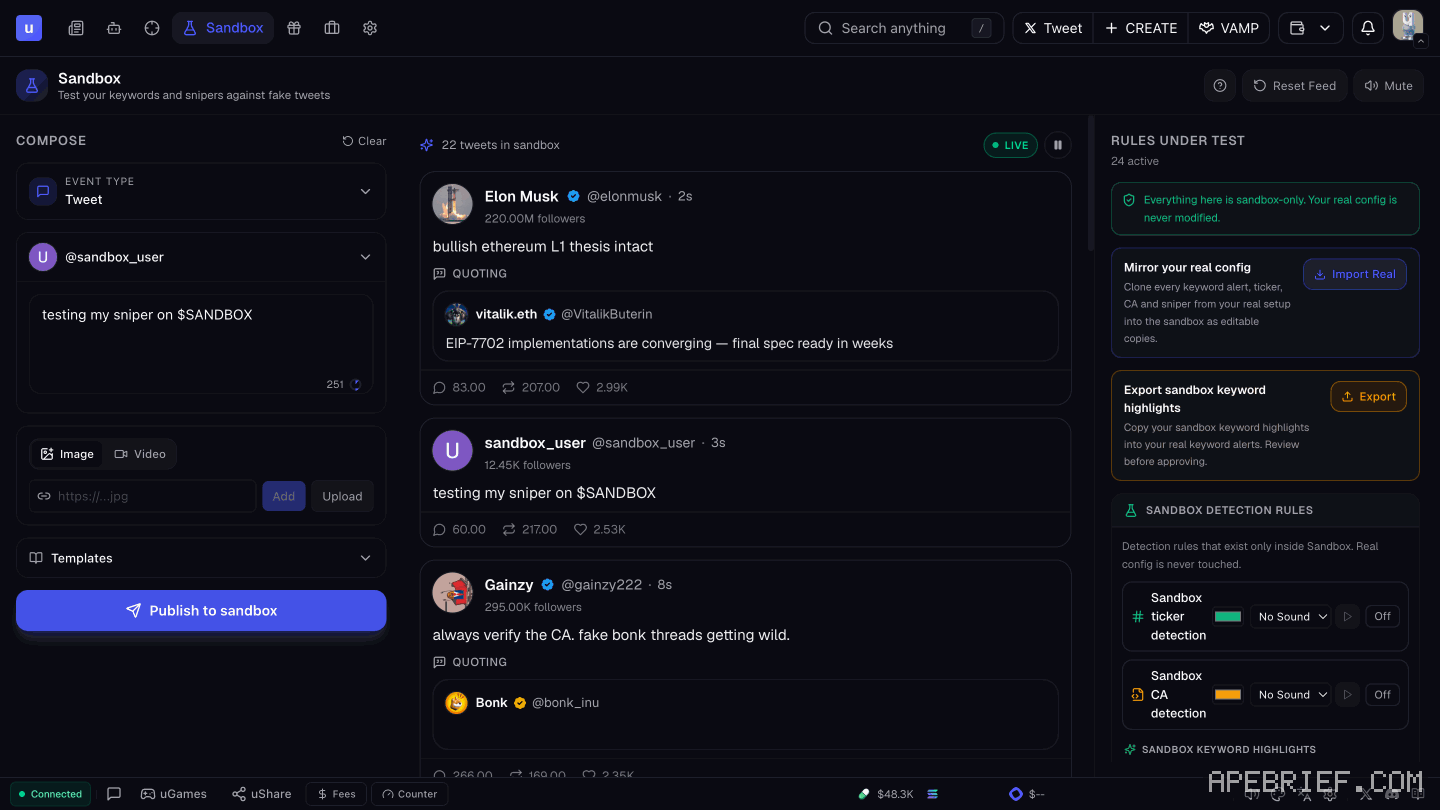
the rules panel
Rules Under Test holds the sandbox copies. You can edit them here or write new ones without touching your live setup.
- Rule types. Keyword, CA, Interaction, Post Interaction and Activity, each its own tab. Rules can also take image references.
- Match mode. EXACT or PARTIAL.
- Export. Exports your sandbox keyword highlights.
the feed
Your own posts land at the top. Around them, an automated stream of simulated tweets arrives at random intervals.
Watch that stream as well as your own posts. A rule that fires on random tweets is too loose, and it would buy on noise when it runs for real. Pause the stream to test one post at a time, or Reset Feed to start clean.
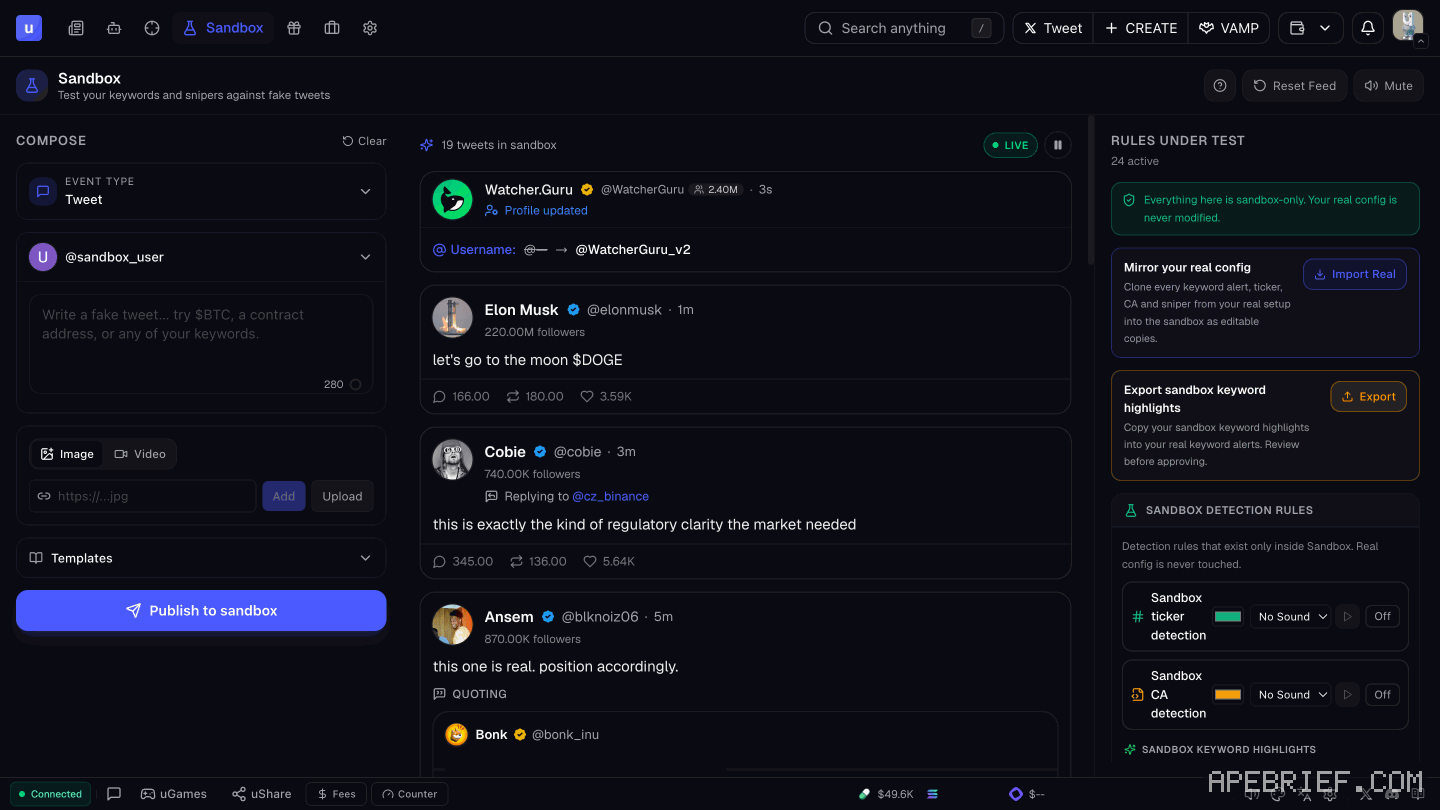
after it passes
Put the rules to work in uTek or in the Auto-Sniper under Automations.
A sandbox hit tells you the rule matches the post. It doesn't tell you how fast a real snipe lands. Snipe speed depends on X and can vary, so a live snipe can still miss or land late. X sniping strategy on uxento covers setting rules for that.
If you're signing up, the link below is our Uxento referral link, code .
We get a commission from Uxento, which helps support our work, at no extra cost to you. We might add tools for people who used our code.
Tapping the button puts on your clipboard and opens Uxento. Where the signup shows a code field, paste it there.
How we know: every number on this page
10 sources
- Sandbox is a testing playground for sniper and tracker configurations against simulated posts simulated · source2026-10-07
- everything in Sandbox is sandbox-only; the real configuration is never modified never · source2026-10-07
- Composer: pick an event type (tweets, follows, PFP changes and more), the account the post comes from, configure the event, Publish to Sandbox Publish · source2026-10-07
- your posts appear at the top of the feed; an automated stream of simulated tweets also appears at random intervals random · source2026-10-07
- Rules Under Test: Import Real copies your real sniper/tracker configuration; Export exports sandbox keyword highlights; detection and sniper rules take keywords, image references, CAs, interactions and activities Import · source2026-10-07
- a successful trigger shows a notification at the top right saying what triggered top · source2026-10-07
- after testing, configurations go live through Automations and uTek Automations · source2026-10-07
- uTek's Test in Sandbox button takes a task to the Sandbox Test · source2026-10-07
- Sandbox screen: tagline, composer controls, default account, feed controls, rule tabs, match modes, and the mirror line @sandbox_user · our screenshot, 7 Oct 2026, Sandbox: 'Test your keywords and snipers against fake tweets' / buttons 'Replay Tour' 'Reset Feed' 'Mute' 'Clear' 'EVENT TYPE Tweet' '@sandbox_user' 'Image' 'Video' 'Add' 'Upload' 'Templates' 'Publish to sandbox' 'Pause the stream' 'Import Real' 'Export' 'EXACT' 'PARTIAL' 'Keyword' 'CA' 'Interaction' 'Post Interaction' 'Activity' / 'Mirror your real config' 'Clone every keyword alert, ticker, CA and sniper from your real setup into the sandbox as editable copies.'2026-10-07
- snipe speed depends on X and can vary Snipe · our screenshot, 7 Oct 2026, uTek: 'Snipe speeds depend on Twitter/X and can vary. We are not responsible for delays, missed snipes, or losses caused by Twitter/X performance.'2026-10-07
next
- how to set up utek, uxento's sniper and copy traderuTek is Uxento's sniper and copy trader.
- uxento automations: the auto-sniper, presets and the image libraryAutomations is where Uxento runs things for you.
- sniping off x posts with utek: the trigger, the size and the exitPick the narrowest trigger that still catches the post you want. A CA trigger buys the exact coin a tracked account posts.
- uxento portfolio: create, import and fund your walletsOpen Portfolio from the toolbar.