 by cooked
uxento automations: the auto-sniper, presets and the image library
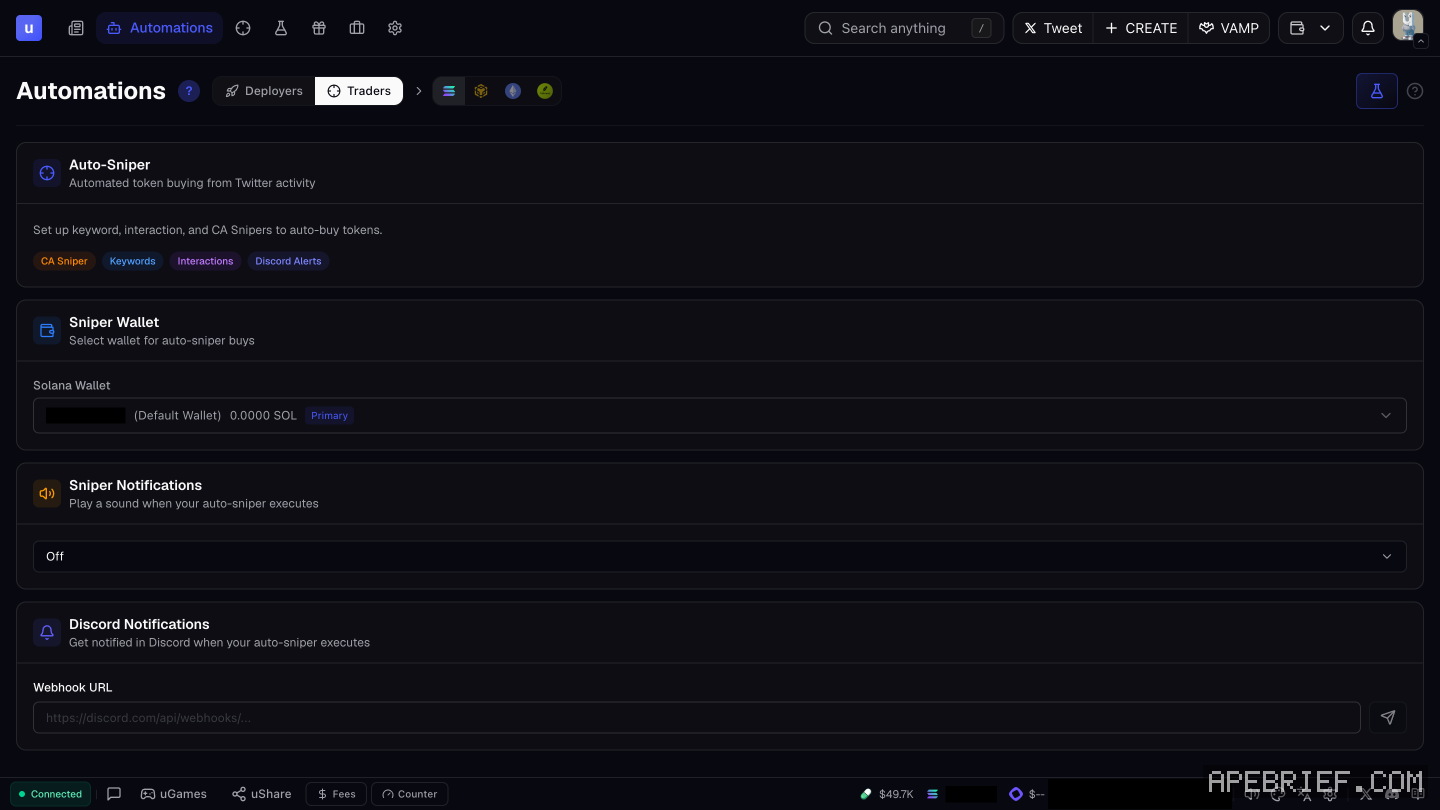
Automations is where Uxento runs things for you. The Traders tab holds the Auto-Sniper, which auto-buys tokens when accounts you pick post a keyword, a CA, an image or other activity on X. The Deployers tab launches coins automatically, Presets store the templates, and the Image Library keeps images for launches.
the traders tab
Start with the Auto-Sniper settings:
- CA Buy Amount. The default amount for quick-buy buttons.
- Sniper Wallet. The dedicated wallet the buys come from. You can change it any time. Wallets are made and funded in Portfolio.
Then add triggers. Each one is its own panel:
| Trigger | When it buys |
|---|---|
| Keyword | A tracked account tweets, retweets or quotes your keyword. Exact or partial match |
| CA | A CA is detected from specific accounts, in any post type |
| Interaction | A specific user replies to another specific user |
| Post Interaction | A target user replies to, quotes or retweets one specific post |
| Activity | Any activity from specific accounts: tweets, replies, follows, PFP changes |
| Image | A tracked account posts an image matching yours, in a tweet, reply, quote, retweet, PFP or banner change |
add a trigger
- Click Add next to the trigger's panel.
- Fill in the prompts. Every trigger can watch several usernames at once, and you can save usernames you reuse as presets.
- Set the priority fee, tip and slippage for this task. Save a combination you like as a fee preset.
- Choose how it runs. Browser Only fires while your browser is open. With Browser Only off, it runs in 24/7 Mode, from Uxento's server.
- Turn on Buy Same CA Only Once and Disable After Success if you don't want the same CA bought again and again.
The Auto-Sniper also runs on BSC, alongside your Solana triggers. The Fees panel has its own priority, tip and slippage settings for buys and sells: uxento fees.
alerts and history
- Sound. Pick one under Sniper Notifications and it plays every time the sniper fires.
- Discord. Paste a webhook URL under Discord Notifications.
- Execution History. Every execution, filtered by All, Success or Failed. You can re-add a trigger from here, or trade a recent token with the quick buttons.
presets
The Presets panel lists every preset you've saved. Click Add to make one, or edit an existing one any time. The empty panel describes a preset as defining how tokens are bought automatically.
Presets are global. One made here also shows up when you launch by hand in uDev.
the image library
The Image Library stores images you upload for launches. Bind an image to a keyword and later launches on that keyword can reuse it. It's the same library uDev's Creator Module uses.
the deployers tab
Deployers launches coins without you pressing the button. AI-Deploy watches accounts on X, Instagram and Truth Social and has uDev deploy a token when their activity matches your conditions. Auto-Deploy does the same with fixed token details and no AI. How a launch itself works is on launching with udev.
auto-sniper or utek
Both buy on X activity. uTek adds copy trading, new-launch and fee-claim snipers, and its Migrate Auto-Sniper button pulls your Auto-Sniper setup across in one click.
Test any trigger on fake posts in the Sandbox before it runs live. Snipe speed depends on X and can vary, so a live trigger can still miss or land late.
New to Uxento? Sign up through our referral link below with code .
We get a commission from Uxento, which helps support our work, at no extra cost to you. We might add tools for people who used our code.
Tapping the button puts on your clipboard and opens Uxento. Where the signup shows a code field, paste it there.
How we know: every number on this page
13 sources
- the Automations panel has two core tabs, Deployers and Traders; the app also shows an Image Library tab Deployers · source2026-10-07
- Auto Sniper sets up keyword, interaction and CA snipers to auto-buy tokens; settings hold the CA Buy Amount (default for quick-buy buttons) and a Sniper Wallet CA · source2026-10-07
- the six Auto-Sniper triggers and what each watches Keyword · source2026-10-07
- triggers are added with Add; Browser Only or 24/7 Mode (server-side, Browser Only off); Buy Same CA Only Once and Disable After Success 24/7 · source2026-10-07
- priority fee, tip and slippage per task, saved as presets; multiple usernames per trigger, saved as presets priority · source2026-10-07
- Auto-Sniper also works on BSC alongside Solana BSC · source2026-10-07
- sound alerts under Sniper Notifications and Discord alerts by webhook; Execution History with All/Success/Failed filters, re-adding triggers and Trade quick buttons All/Success/Failed · source2026-10-07
- Presets: an overview of saved presets, Add to create, editable any time; global, also usable in manual uDev launches; the app's empty panel says a preset defines how tokens are bought automatically Presets · source2026-10-07
- Image Library: save uploaded images for future launches and bind them to keywords; keyword-bound images are reused in later launches Image · source2026-10-07
- Deployers: AI Deploy watches X, Instagram and Truth Social accounts and has uDev deploy a token when activity matches; Auto-Deploy is the same with fixed token values and no AI AI · source2026-10-07
- uTek's Migrate Auto-Sniper imports Auto Sniper configurations Migrate · source2026-10-07
- the Fees panel has Deploy, Buy and Sell tabs with Solana priority, tip and slippage fields and MEV Protection PRIORITY · our screenshot, 7 Oct 2026, Fees panel (clicked Fees): 'Deploy' 'Buy' 'Sell' 'SOLANA' 'PRIORITY' 'TIP' 'min 0.003' 'SLIPPAGE' 'MEV Protection'2026-10-07
- snipe speed depends on X and can vary Snipe · our screenshot, 7 Oct 2026, uTek: 'Snipe speeds depend on Twitter/X and can vary. We are not responsible for delays, missed snipes, or losses caused by Twitter/X performance.'2026-10-07
next
- how to test a sniper in uxento's sandboxSandbox is Uxento's test feed. You publish fake posts from any account you pick and watch whether your sniper and tracker rules fire.
- how to set up utek, uxento's sniper and copy traderuTek is Uxento's sniper and copy trader.
- sniping off x posts with utek: the trigger, the size and the exitPick the narrowest trigger that still catches the post you want. A CA trigger buys the exact coin a tracked account posts.
- uxento ugames: six quick games for speed and aimuGames is a set of six quick skill games built into Uxento, for practicing accuracy and speed between trades. Click uGames in the footer to open it.