 by cooked
how to buy crypto on okx: card, p2p or cash balance
Three routes: a Visa or Mastercard card under Buy, P2P from a merchant while OKX holds the crypto, or a cash deposit by bank transfer and a buy from that balance with no fee. OKX asks you to verify your identity first, and a P2P buy can lock withdrawals for some days.
before any of them
Complete identity verification. OKX asks for it before P2P, and won't let you withdraw without it. Not every method applies to every account, so the Buy screen is what shows the methods open to you.
by card
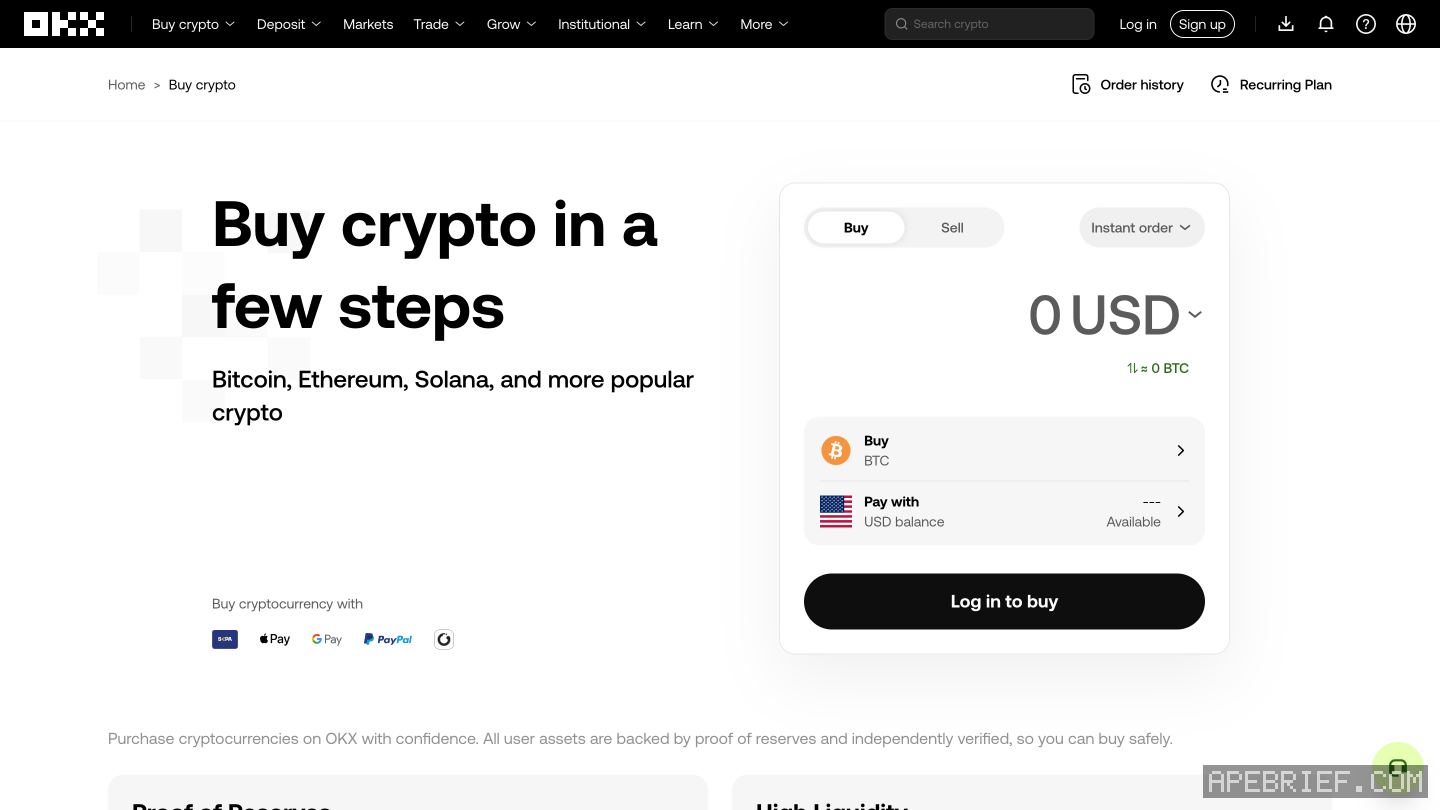
- Buy and Sell, then Buy.
- Pick the crypto and type the amount. Under Pay with, pick Visa or Mastercard.
- First card? Add card, enter it, then your billing address.
- Preview, check it, then Buy.
- Your bank sends a code by SMS or in its app. Enter it to finish.
The card fee depends on the currency you pay in: 1.50% to 3.00%, which OKX says is subject to change. On a credit card your bank may add a cash-advance fee on top.
p2p
You buy from a merchant and pay them directly, from an account in your own name. OKX holds the crypto until the merchant confirms your payment.
- Buy crypto, P2P trading, then Express to be matched, or P2P to pick an ad yourself. Buy.
- Enter the amount and pick a payment method.
- Pay the merchant outside OKX. Leave crypto words out of the payment message.
- I have paid, upload the proof, confirm.
- The merchant releases the crypto to your Funding Account. If they don't, raise a dispute.
Never mark it paid before you have paid. Never pay when the order is about to time out, because the merchant gets the crypto back at zero. Never cancel after paying: it doesn't return your money. OKX charges no P2P fee; your bank or wallet may.
A P2P buy may set off what OKX calls T+N protection: selling, withdrawing and DEX trading are locked for 3, 7 or 15 days, shown on the page before you continue. If you plan to withdraw straight away, check that first.
bank transfer, then buy
- Deposit cash to OKX by bank transfer or another cash method your account shows. OKX doesn't spell out the bank steps.
- Buy crypto, then Express buy.
- Pick the crypto, type the amount, Next, preview, Buy. OKX charges no fee for buying from your cash balance.
once it's bought
It shows under Assets, My assets, Overview. To trade it on-chain, withdraw it to a wallet: withdraw from okx to a wallet has the network, tag, fee and minimum, and from an exchange to on-chain has where it goes next.
People also ask
Which network do I pick to withdraw from OKX to my wallet?
The one your wallet receives on: Solana for a Phantom Solana address, the chain you plan to use for an 0x address. A tag only for coins such as XRP. The fee and minimum show on the form; you can cancel within one minute while pending.
the full answerHow do I get crypto from an exchange onto Solana, Hyperliquid or Robinhood Chain?
Buy on the exchange, withdraw to your own wallet on the network your next stop uses, then trade there. SOL on Solana for Axiom, Photon or Jupiter. USDC on Arbitrum for Hyperliquid, unless the exchange sends there directly. ETH on Ethereum, then bridged, for Robinhood Chain.
the full answerHow do I send crypto from an exchange to my own wallet?
Copy the address from the wallet's receive screen and pick the network the wallet showed you, not the cheapest one. A memo is only for a receiving side that asks for one. Send a small amount first, then the rest.
I withdrew from OKX on the wrong network. Can I get it back?
To your own wallet: OKX's help shows how to send it back from the chain you picked to your OKX deposit address for that network, using your own key and that chain's gas. To another exchange: ask that exchange.
How we know: every number on this page
6 sources
- the card steps: Buy and Sell, Buy, pick the crypto and amount, Visa or Mastercard under Pay with, Add card, billing address, Preview, Buy, then a code from your bank; the fee depends on the currency, 1.50% to 3.00% in OKX's table and subject to change; a credit card may draw a cash-advance fee from the bank 1.50% · source2026-09-26
- P2P: identity verification first, pay from an account in your own name, OKX holds the crypto until the merchant confirms payment; Express or pick an ad; never pay near the timeout; a P2P buy may trigger T+N protection that restricts selling, withdrawals and DEX trading for 3, 7 or 15 days 3 · source2026-09-26
- P2P rules: mark Payment Completed only after paying; the paying account name must match; no crypto words in the payment message; don't cancel after paying; the crypto goes to the Funding Account; OKX charges no P2P fee; a daily cancel limit exists zero · source2026-09-26
- a cash balance is added by bank transfer or another cash deposit method, then spent under Buy crypto, Express buy with no fee; bought crypto shows under Assets no · source2026-09-26
- Axiom's docs: fund the account by depositing SOL to the wallet shown, or buy SOL through a card partner inside Axiom deposit · source2026-09-26
- OKX requires identity verification to withdraw identity · source2026-09-26
next
- Which network do I pick to withdraw from OKX to my wallet?Pick the network your wallet receives on: Solana for a Phantom Solana address, and for an 0x address the EVM chain you mean to use it on.
- How do I send crypto from an exchange to my own wallet?Copy the address from your wallet's receive screen, pick the network the wallet showed you for it, send a small amount first, then the rest.
- I withdrew from OKX on the wrong network. Can I get it back?If it went to your own wallet, OKX says you can get it back yourself: the funds sit at your address on the chain you picked, and you send them back from that chain, which needs your wallet's recovery phrase or key and that chain's gas.
- Which network do I pick to withdraw from KuCoin to my wallet?Paste your wallet's address and check the network KuCoin picks from it against the one your wallet showed: Solana for a Phantom Solana address, and for an 0x address the EVM chain you mean to use.