 by cooked
uxento referral code: apebrief, and how sign-up works
Our Uxento referral code is apebrief. Sign up through our link with your email: Uxento emails you a code, you enter it, and you land on the Uxento AIO feed. The link carries apebrief, so there is nothing extra to type.
signing up
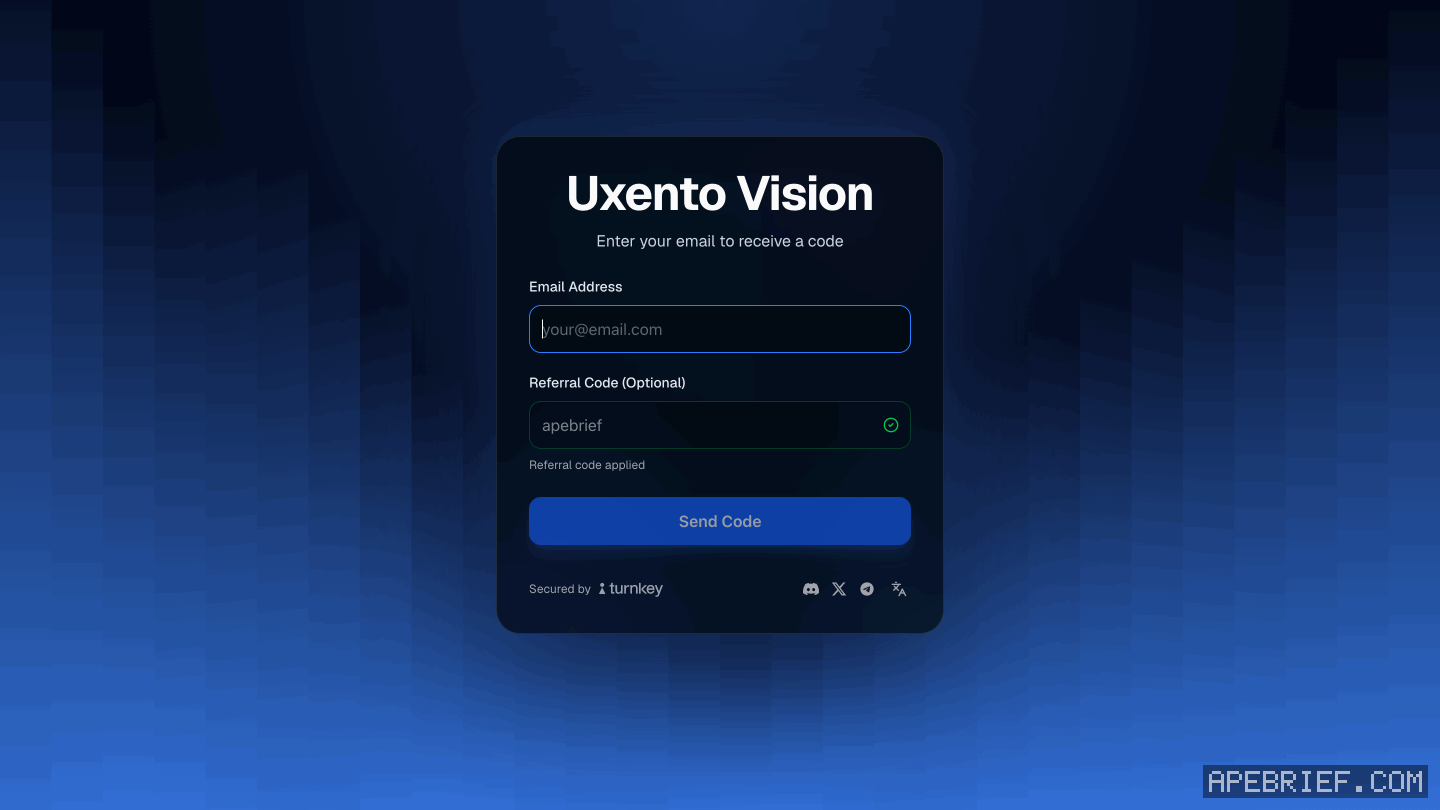
- Open our link at the bottom of this page. It opens Uxento's login page, and the Referral Code box already reads apebrief, with "Referral code applied" under it.
- Enter your email and click Send Code. Uxento emails you a code.
On the login page some other way? Type apebrief in the Referral Code box before you send the code.
- Enter the code and follow the prompts. Sign-in is secured by Turnkey.
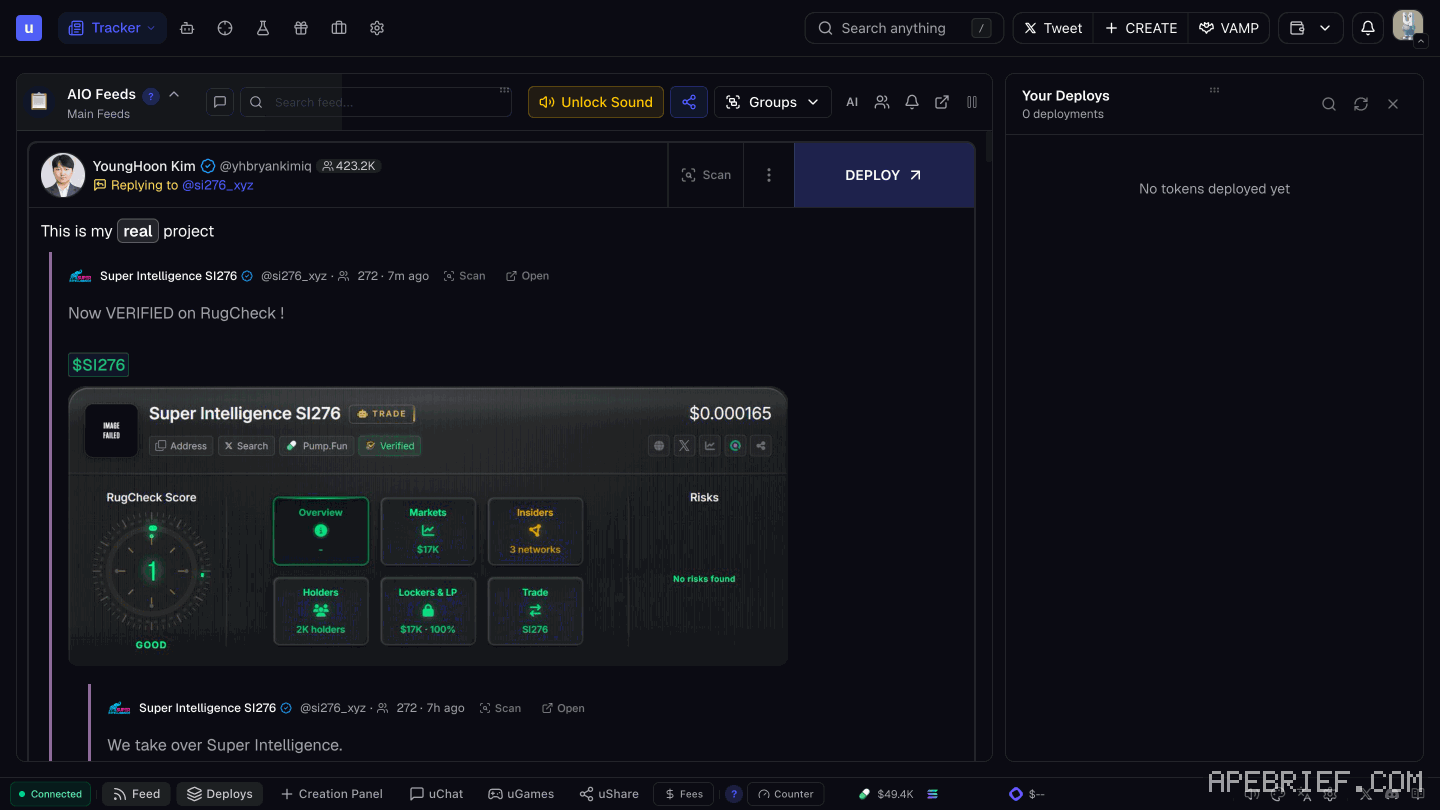
- You land on the Uxento AIO feed.
The same page signs you in next time.
what you land on
The AIO feed is every Uxento tracker in one stream: CA, X, DEX, Streamflow locks, Truth Social, news, Instagram and Telegram.
Along the top is the toolbar: Tracker, Automations, uTek, Sandbox, Rewards, Portfolio, Settings. The footer has uGames, uShare and Fees. what is uxento says what each one does.
where to go next
- Portfolio. Your wallets live here. Create one or import one, then fund it: open the wallet overview, click Deposit, and send to the address shown or scan the QR code. uxento portfolio has the rest.
- uxtension. A free Chrome extension that puts Uxento on Axiom, GMGN and Photon. Axiom is the one it's built around. Install it from the Chrome Web Store, then, logged in, open it and click Connect to Uxento under Secure Connection. uxtension walks through it.
- Fees. Know what a trade costs before your first one: uxento fees.
If you're signing up, the link below is our Uxento referral link, with code on it.
We get a commission from Uxento, which helps support our work, at no extra cost to you. We might add tools for people who used our code.
Tapping the button puts on your clipboard and opens Uxento. Where the signup shows a code field, paste it there.
How we know: every number on this page
9 sources
- our link opens Uxento's login page with the code apebrief on it apebrief · traced 7 Oct 2026: https://uxento.io/@apebrief redirects to https://app.uxento.io/login?r=apebrief2026-10-07
- sign-up is by email; Uxento emails a code; sign-in is secured by Turnkey; you follow the prompts until the Uxento AIO Feed Turnkey · source2026-10-07
- Uxento AIO combines every tracker into one feed and is displayed by default; Vision's trackers are CA, X, DEX, Streamflow Lock, Truth Social, News, Instagram and Telegram AIO · source2026-10-07
- the signed-in app's toolbar reads Tracker, Automations, uTek, Sandbox, Rewards, Portfolio, Settings; the footer carries uGames, uShare and Fees Tracker · our screenshot, 7 Oct 2026, every signed-in screen: text 'Tracker' 'Automations' 'uTek' 'Sandbox' 'Rewards' 'Portfolio' 'Settings'; buttons 'uGames | uShare | Fees'2026-10-07
- Portfolio is where you create, import, archive and manage wallets; the screen has Create Wallet and Import buttons Create · source2026-10-07
- to fund a wallet: open the wallet overview, click deposit, send to the address shown or scan the QR code deposit · source2026-10-07
- uxtension is free, installed from the Chrome Web Store, recommended on Axiom and also supports GMGN and Photon free · source2026-10-07
- to connect uxtension to your account: log in to the app, open uxtension, under Secure Connection click Connect to Uxento Connect · source2026-10-07
- the login page opened from our link shows Email Address, a Referral Code (Optional) box filled with apebrief and 'Referral code applied', and Send Code apebrief · our screenshot, 7 Oct 2026, logged out, uxento.io/@apebrief: 'Uxento Vision' 'Enter your email to receive a code' 'Email Address' 'Referral Code (Optional)' 'apebrief' 'Referral code applied' 'Send Code' 'Secured by'2026-10-07
next
- what is uxento: every tool on one pageUxento is a trenching toolkit.
- uxento portfolio: create, import and fund your walletsOpen Portfolio from the toolbar.
- how to install uxtension and connect it to uxentoAdd uxtension from the Chrome Web Store with Add to Chrome. It's free, it runs on Axiom, GMGN and Photon, and Axiom is the one Uxento recommends.
- how to copy trade a wallet with uxento's utekCopy trading on Uxento is a uTek task. You give it a target wallet, a wallet of yours to trade from and a buy amount in SOL, then pick Buy or Sell under Copy.