 by cooked
how to deposit on photon: funding the trading wallet
Photon generates its own trading wallet and you fund it with a Deposit from your existing wallet; it is not a front end on the wallet you already have. That is why your Phantom balance can look full while Photon shows nothing.
You have two wallets now. The funding wallet you already had, and the Photon trading wallet Photon made for you. Deposit moves SOL from the first to the second.
the sequence
- Generate the Photon trading wallet. The docs are explicit that this creates a new wallet.
- Save the private key. Photon shows it once, at this step. If you click past that screen without writing it down, you have a wallet you can only reach through Photon.
- Deposit from your funding wallet into the trading wallet. You pick the SOL amount and confirm the transaction in the funding wallet.
- Trade from the balance that now sits in the trading wallet.
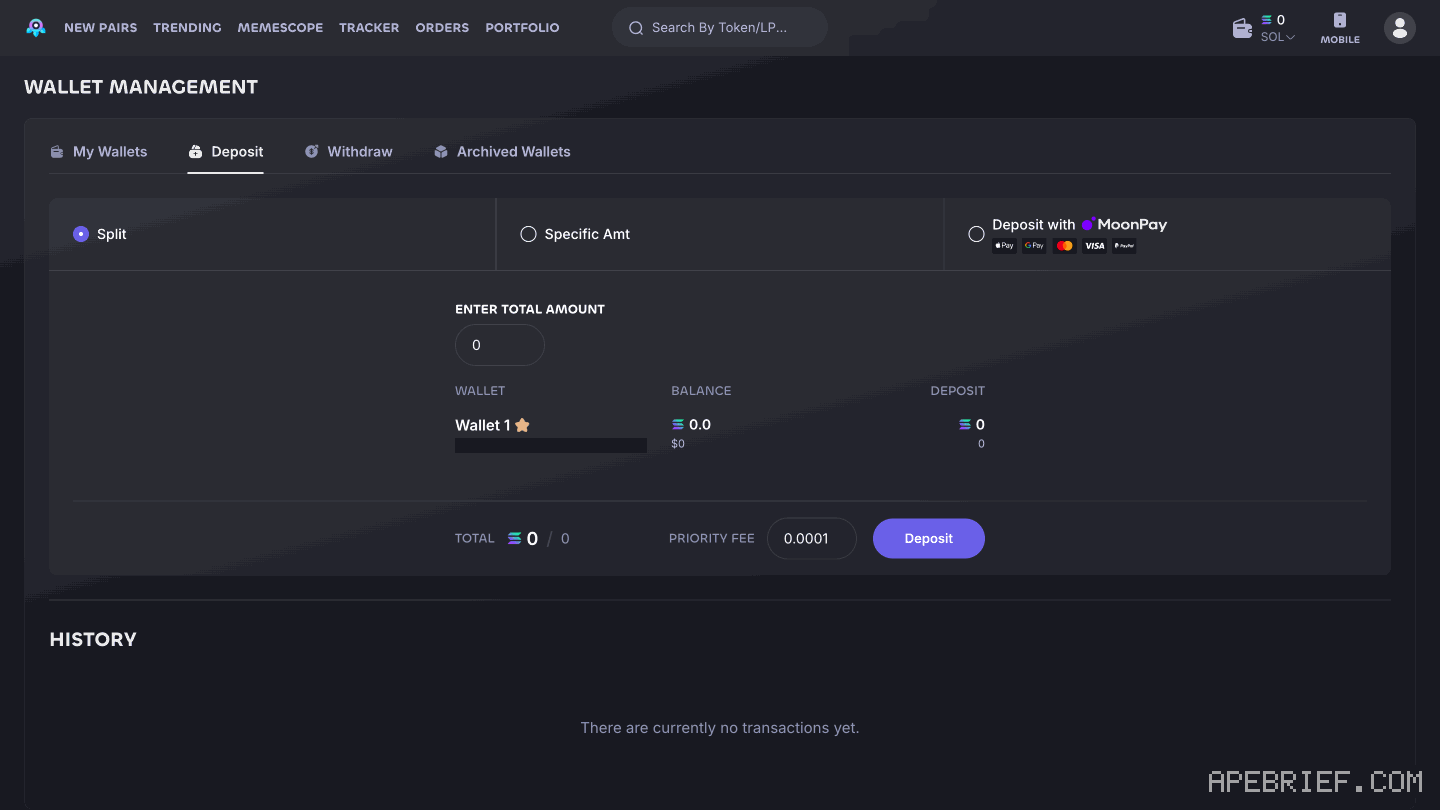
if the balance reads zero
- Check which of your two wallets you are looking at. This is almost always it.
- If the SOL is still on an exchange, it is still on an exchange. Withdraw it to the funding wallet first, wait for the transaction, then deposit.
- You can hold up to 5 active trading wallets. If you generated a second one at some point, the balance may be in a wallet you have not opened today. Archiving one removes it from the active list and it takes 30 seconds to bring back.
If you're setting up a new Photon account, the link below is our referral link.
Photon documents no discount for signing up through a link, so it costs you the same either way. It may earn us Photon points, which helps support our work, at no extra cost to you. We might add tools for people who used our code.
Tapping the button puts apebrief on your clipboard and opens Photon. Where the signup shows a code field, paste it there.
How we know: every number on this page
5 sources
- Photon generates a trading wallet for you rather than trading directly from your existing wallet generate · source2026-08-28
- the private key for the generated wallet is displayed once and only once once · source2026-08-28
- the documented deposit flow, funding wallet to Photon trading wallet deposit · source2026-08-28
- maximum number of Photon trading wallets active at once 5 · source2026-08-28
- archived wallets can be restored after a wait 30 · source2026-08-28
next
- How do I withdraw on Photon?Photon's Withdraw tab sends SOL from a Photon trading wallet to a wallet you choose, and Photon says to leave 0.0025 SOL plus the priority fee in the trading wallet for the withdrawal to succeed.
- Why did Photon eat the fill?Photon takes 1% of the initial token used on every buy and every sell, collected in SOL.
- compareis photon better than axiom, on fees and the wallet pathAxiom if the fee decides it: signing up through a referral link takes 10% off trading fees, and cashback in SOL takes the net fee to 0.75% at the top tier.